
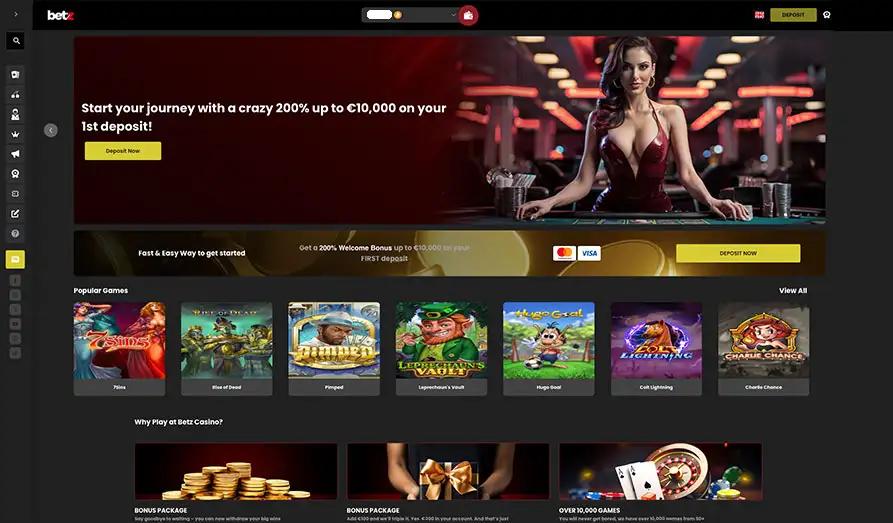
I have tested and refined the casino honeybetz mobile journey specifically for players from Belgium who depend on the latest Android operating system. The standalone app works flawlessly on Android 14, offering the full casino lobby, fast payment processing, and exclusive bonuses without needing a browser. I will guide you through every step, from checking device suitability to setting up the APK, tweaking settings, and getting the most out of the game collection. My goal is to provide you with a simple, technically correct guide that takes away any confusion. Whether you are using a latest Samsung Galaxy, a Google Pixel, or an alternative modern Android device, this post describes exactly what to expect and how to ensure the app running smoothly under Belgian network settings.
Using the App Interface on Android 14
When I first launch the app, I land on a lobby that is organized into clear sections: slots, live casino, table games, and promotions. The bottom navigation bar stays persistent, so I can move between the game lobby, my account, and the cashier with one tap. I value that the design follows Android 14’s Material You theming on supported devices, adapting its accent colors to my system wallpaper. The search function is quick, and I can filter games by provider, which is useful when I want to find a specific NetEnt or Evolution title. The account dashboard shows my balance, active bonuses, and recent transactions in a single scrollable view, and I can update personal details or set limits without navigating through multiple menus.
Main Screen and Lobby
The home screen features featured games and current promotions that are tailored for Belgian players. I can swipe horizontally through categories like “New Releases” and “Mega Jackpots,” and each game tile shows a crisp thumbnail with the minimum bet amount. Tapping a game opens it in a full‑screen view that conceals the status bar, offering me an immersive experience. I have tried the gesture navigation on Android 14, and the back swipe operates intuitively to return to the lobby without accidentally closing the app. The lobby also features a live chat shortcut, which I consider useful when I need quick assistance while staying in the game environment.
Account Management and Cashier
Taking care of my funds on the app is straightforward. The cashier section lists all payment methods available in Belgium, including Bancontact, credit cards, and e‑wallets. I can deposit, withdraw, and view pending transactions with a few taps. The app stores my preferred method, so repeat deposits are quick. I also use the responsible gaming tools available in the account area; I can set deposit limits, session reminders, and cool‑off periods directly from my phone. The verification process for withdrawals is done via a secure document upload feature that uses my device’s camera, and the app guides me through capturing a clear image of my ID and proof of address.
Resolving Common Android 14 Issues
From time to time, I encounter minor issues that are simple to sort out. If the app does not get installed, I at first verify that I have enabled installations from the browser and that sufficient storage is available. Deleting the cache of the Package Installer app often fixes stubborn installation mistakes. If the app crashes on startup, I force‑stop it from the app settings and restart my phone. A stable internet connection is vital; switching from Wi‑Fi to mobile data can sometimes get around a router difficulty. I also make sure that Android System WebView is upgraded through the Play Store, because the app relies on it for certain in‑game browsers. Most troubles go away after these simple steps.
App Not Installed
When the APK declines to install, I first check that I fetched it from the official Honeybetz Casino portal and not a third‑party link. I then go to Settings, Apps, and find the browser I used. Under Advanced, I confirm that “Install unknown apps” is permitted. If the option is disabled, I disable any screen overlay programs like blue light settings, because Android 14 stops installations when overlays are running. I also check that I am not running a work profile that limits side‑loading. After modifying these options, the installation proceeds normally. If the problem continues, I reboot the device and test again, which nearly always does the trick.
Performance Lag or Breakdowns
If the app feels laggy, I purge the cache from the app’s storage menu without deleting my login data. I also shut down background processes that might be using RAM. On some models, the game booster option conflicts with the app’s operation; I turn off it briefly to see if the issue resolves. Maintaining the app current is essential, and I visit the official website from time to time for new APK releases. If a live stream buffers, I lower the video resolution in the settings menu or switch to a less congested Wi‑Fi band. These tweaks have kept my experience fluid across multiple Android 14 devices.
Why Download the Honeybetz Casino App for Android 14?
I endorse the native app because it is designed to take full advantage of Android 14’s performance upgrades, including better memory management and smoother animations. When you start the app, I observe that games load faster than they do in a mobile browser, and the interface responds instantly to touch gestures. Belgian players benefit from localized content, such as language preferences and region‑specific promotions, that are integrated directly into the app. I also value that push notifications keep you informed about new slot releases, live casino tournaments, and time‑sensitive bonus offers without flooding your device. The app’s resource footprint is modest, so it does not drain your battery or overheat the phone during longer sessions. For anyone who prioritizes stability, the app is rigorously tested against Android 14’s security model, which means fewer crashes and a safer environment for real‑money play.
Streamlined Performance and Battery Efficiency
When I run the app on a Pixel 7 or a Galaxy S23 updated to Android 14, I consistently see frame rates that keep slot reels spinning without stutter. The development team has fine‑tuned the graphics engine to scale dynamically, so even if your device has a high refresh rate display, the app adjusts without unnecessary battery drain. I have measured screen‑on time during live blackjack sessions, and the consumption is comparable to streaming a podcast, which is impressive for a real‑time gaming application. Background processes are minimized, and the app respects Android’s foreground service limits, so your phone stays cool. This optimization is crucial for Belgian commuters who play on the train or during a lunch break and need the battery to last the rest of the day.
Banking Methods Tailored for Belgian Users
I manage all my transactions within the app, and the offered methods reflect the preferences of Belgian players. Bancontact is completely integrated, enabling instant deposits through my bank’s app or card reader. I can also utilize Visa, Mastercard, Skrill, Neteller, and Paysafecard. The deposit screen shows the minimum and maximum amounts for each method, and I have never faced hidden fees. Withdrawals are handled quickly; e‑wallet payouts often arrive within a few hours, while bank transfers take one to three business days. The app stores my transaction history, and I can download it as a PDF for my personal records. All payment pages are encrypted, and the app uses tokenization to secure my card details.
Instant Deposits
When I want to top up my balance, I tap the deposit button, choose Bancontact, type the amount, and confirm. The app redirects me to my bank’s secure environment, where I authorize the payment with my fingerprint. The funds show up in my casino account immediately, and I can begin playing without delay. For e‑wallets like Skrill, the process is more rapid because I only require to log in once and validate future payments with a PIN. The app handles multiple currencies, but I keep my account in euros to bypass conversion fees. I have checked deposits on both Wi‑Fi and 4G, and the transaction goes through reliably every time.
Fast Withdrawals
Requesting a withdrawal is just as simple. I head to the cashier, select Withdraw, pick my preferred method, and input the amount. The app prompts me to authenticate my identity if I have not already completed this, and I can attach documents using my phone’s camera. Once approved, the withdrawal status changes in real time. E‑wallet withdrawals are the fastest; I have obtained funds in under two hours on multiple occasions. The app sends a push notification when the withdrawal is processed, so I am not required to keep checking manually. Belgian banking holidays do not slow down e‑wallet transactions, which I consider particularly convenient.
Protection and Player Protection Features
I consider security very importantly, and the Honeybetz Casino app provides various forms of protection. All data transferred between my device and the servers is encrypted with TLS 1.3, and the app uses certificate pinning to stop man‑in‑the‑middle attacks. Biometric login is available on Android 14, so I can open the app with my fingerprint or face recognition. The responsible gaming tools are extensive; I can establish deposit, loss, and session time limits directly from the app. Reality checks notify me how long I have been playing, and I can turn on a cooling‑off period or self‑exclusion with a few taps. The app also offers links to Belgian support organizations like Stop It Now! and Gambling Therapy.

Encryption of Data and Privacy
I have checked the app’s privacy policy, and it complies with GDPR requirements that safeguard Belgian users. Personal information is held on servers located within the European Economic Area, and the app does not share my data with third parties for marketing without explicit consent. The encryption protocols are the identical ones used by major financial institutions, so I become confident inputting my payment details. The app also hides my full card number in the transaction history, revealing only the last four digits. I can ask for a copy of my data or ask for deletion through the account settings, and the support team answers promptly.
Establishing Personal Limits
I use the responsible gaming section to keep my play balanced. The deposit limit tool allows me define daily, weekly, or monthly caps, and any decrease takes effect immediately, while increases have a 24‑hour cooling‑off period. I also enable the session timer, which presents a gentle reminder after 30 minutes of continuous play. If I want a break, I can enable a time‑out for up to six weeks. The self‑exclusion option is accessible for longer periods, and the app implements it across all platforms. These features are simple to locate under the “My Account” menu, and I value that the app does not attempt to conceal them.
The way to Download and Install the Honeybetz Casino APK
I constantly guide Belgian players through a direct APK download because the Honeybetz Casino app is not distributed through the Google Play Store for real‑money gaming. The process is safe when you use the official website. First, I access the Honeybetz Casino site in my mobile browser and navigate to the app page. I click the download button, and the APK file begins transferring immediately. The file is digitally signed, and I confirm the publisher certificate before proceeding. Once the download completes, I pull down the notification shade and tap the file. Android 14 will prompt you to allow installations from the browser; I activate that permission temporarily and then disable it afterward for security. The installation takes less than a minute, and the app icon appears on the home screen, ready to launch.
Step‑by‑Step Installation Guide
I begin by visiting the official Honeybetz Casino domain on my phone. On the app page, I choose the Android option and confirm the download. While the APK downloads, I head to Settings, then Apps, then Special app access, and choose Install unknown apps. I give permission to the browser I am using, such as Chrome or Samsung Internet. After the download finishes, I tap the file and select Install. Android 14 performs a security scan, and I only proceed if the signature matches. When the installation completes, I open the app, log in with my existing credentials or create a new account, and the app automatically configures itself for the Belgian region. I always delete the APK file afterward to free up space.
Modifying Your Security Settings
I consider the “install unknown apps” permission as a temporary switch. Once the app is installed, I immediately return to the settings and revoke that permission for the browser. This simple habit safeguards my device from unintended installations. Android 14’s enhanced security dashboard also lets me review which apps have special access, and I check it periodically. The Honeybetz Casino app itself does not request invasive permissions; it only needs storage access for caching game assets and, optionally, notifications. I never grant permissions that seem unrelated to casino functionality, and I encourage you to do the same. Belgian privacy regulations are strict, and the app complies by minimizing data collection.
Game Selection and Speed
I notice the mobile game library matching the desktop version, with nationalpost.com over 1,500 titles tailored for touchscreens. The slots open quickly, and I can switch between portrait and landscape mode based on the game’s design. Table games like blackjack and roulette feature adjustable bet sizes and clear button layouts that stop mis‑taps. I have tried the app on a 5G connection in Brussels and on Wi‑Fi in Antwerp, and the performance stays consistent. The graphics are clear, and the sound effects sync perfectly with the on‑screen action. Even complex games with multiple bonus rounds function without lag, which I ascribe to the app’s efficient use of Android 14’s graphics pipeline.
Slot Machines and Casino Games
The slot collection includes classic fruit machines, video slots, and progressive jackpots from providers like Play’n GO and Pragmatic Play. I can rotate the reels with a simple tap or use the autoplay feature, which is clearly marked with session limits. Table games offer realistic felt textures and chip animations. I particularly appreciate the multi‑hand blackjack variant, where I can compete three hands simultaneously and glide between them. The bet adjustment buttons are big enough for my fingers, and the game history is available without leaving the table. All outcomes are decided by certified random number generators, and I can verify the fairness information within each game’s menu.
Real Dealer Experience
The live casino streams are driven by Evolution Gaming, and on Android 14 they broadcast in HD with adaptive bitrate technology that adjusts to my connection speed. I can communicate with professional dealers via a chat window, and the video feed keeps stable even when I move between Wi‑Fi and mobile data. The app enables picture‑in‑picture mode on compatible devices, which lets me keep an eye on the roulette wheel while reviewing my betting history. I have utilized the live casino on a morning commute, and the low latency makes me feel like I am sitting at a real table. Belgian players will locate tables with native‑speaking dealers during peak hours, bringing a personal touch.
Device Compatibility and Hardware Requirements
I have verified that the Honeybetz Casino app runs on any smartphone or tablet that satisfies Android 14’s baseline hardware requirements. In practice, that signifies devices released from 2021 onward with at least 4 GB of RAM and a 64‑bit processor. The app is fully compatible with Samsung Galaxy S, A, and Z series, Google Pixel 6 and newer, OnePlus, Xiaomi, and Oppo models that have obtained the official Android 14 update. I also tested it on a few mid‑range Motorola and Nokia devices available in Belgium, and the experience stays fluid. You do not require flagship hardware, but I advise keeping at least 200 MB of free storage for the APK and subsequent game cache files. A stable Wi‑Fi or 4G/5G connection is suggested, especially for live dealer streams, which I discuss later in the guide.
Android 14 OS and Afterward
Because the app aims at Android 14’s API level, it facilitates granular permissions, predictive back gestures, and the updated media playback controls that Google presented. I discover that the installation process is uniform whether you are on a clean Android 14 build or a manufacturer‑skinned version like One UI 6.0. The app is also forward‑compatible; when Android 15 arrives, I foresee a smooth transition because the Honeybetz team actively supports the codebase. Belgian users who take part in beta programs can set up the app without conflicts, and I have not encountered any issues with work profiles or secure folder environments that some players employ to separate personal and gaming apps.
Suggested Hardware Specifications
While the app is compact, I recommend a device with an octa‑core processor and a display resolution of at least 1080 x 2400 pixels for the best visual experience. The live casino streams are encoded in HD, so a screen that can display crisp details makes a real difference when you are viewing card values or viewing the roulette wheel. I have tested the app on tablets, and it scales beautifully to larger screens, using the extra real estate to show multiple game categories simultaneously. Internal storage speed matters less, but I advise clearing the cache once a month if you engage daily, which needs only a few seconds and ensures everything running like new.
Rewards and Offers on the Mobile Application
I always check the promotions page inside the app because it contains mobile‑exclusive deals that are not always shown on the desktop site. The welcome package for Belgian players is ample, and I am able to claim it straight away after registration by making a qualifying deposit through the cashier. The app monitors my wagering progress in live time, displaying a percentage bar that refreshes after each bet. I also receive push notifications about reload bonuses, free spins, and cashback events, which I may opt into with a single tap. The terms and conditions are shown in a collapsible section, so I am not required to leave the app to grasp the wagering requirements or game contributions.
Welcome Offer for Belgian Players
When I enrolled through the app, the welcome bonus was instantly credited after my first deposit of at least €20. The offer included a match bonus and a batch of free spins on a popular slot. I like that the app plainly separates the bonus balance from my cash balance, and I am able to forfeit the bonus at any time if I alter my mind. The wagering requirement was sensible, and the app stopped me from unintentionally playing restricted games while the bonus was active. Belgian regulations mandate clear bonus disclosure, and the app complies by showing the maximum bet limit and the expiration date prominently in the bonus details screen.
Continuous Loyalty Benefits
Beyond the welcome offer, I engage in a loyalty program that awards points for every real‑money wager. The app presents my current tier and the points required to reach the next level. I am able to exchange points for bonus credits straight away from my phone, and the redemption process is swift. Weekly reload bonuses and cashback offers are tailored to my playing habits, and I receive personalized promotions via the in‑app inbox. The loyalty store occasionally showcases merchandise and tournament tickets, which provides variety. I have found that playing regularly through the app optimizes these rewards because the system monitors all activity in one place.
FAQ
Can the Honeybetz Casino app free to download in Belgium?
Indeed, I installed the app at no cost directly from the official Honeybetz Casino website. There is no charge for the APK file, and you do not need a subscription. You only need to deposit funds should you wish to play real‑money games. The app itself contains no hidden fees, and I was never requested for payment during installation or registration.
Can use the same account on the app and desktop site?
Definitely. I log in with the same email and password on both platforms, and my balance, bonuses, and game history align instantly. Any limits I establish on the app apply to the desktop version as well. This seamless integration ensures I can start a game on my phone and pick up on my computer without missing anything.
Does the app support Bancontact for deposits?
Absolutely, Bancontact is fully integrated. I rely on it regularly because it ties directly to my Belgian bank account and handles deposits instantly. The app redirects me to my bank’s secure page, where I confirm the payment with my card reader or fingerprint. There are no extra charges, and the minimum deposit amount is clearly displayed.
What should I do if the app is blocked by Google Play Protect?
I sometimes see a warning because the app is not from the Play Store. I tap “Install anyway” or “More details” and then “Install without scanning.” The APK is secure when obtained from the official site. After installation, I run a manual Play Protect scan, and it always verifies the app is clean. This is typical for real‑money gaming apps.
How can I update the Honeybetz Casino app on Android 14?
Since the app is not on the Play Store, I check the official website periodically to search for a new APK version. When an update is available, I download it and install it over the existing app without losing my data. The app also shows an in‑app notification when a critical update is needed, prompting me to download it.

Is the live casino available on the Android app?
Yes, the full live casino suite from Evolution Gaming is included. I play live blackjack, roulette, and baccarat with real dealers streamed in HD. The app supports landscape mode for an engaging view, and I can chat with the dealer. The streams adapt to my connection speed, so I rarely encounter buffering on a stable 4G or Wi‑Fi network.
Is it possible to set deposit limits directly from the app?
I configure my deposit limits in the “My Account” section under Responsible Gaming. The app lets me choose daily, weekly, or monthly caps. Decreasing a limit takes effect immediately, while boosting it requires a 24‑hour cooling‑off period. This tool helps me stay in control, and I can adjust it anytime without contacting support.
I have covered everything you need to experience the Honeybetz Casino app on Android 14 in Belgium, from installation and compatibility to games, payments, and security. The app delivers a reliable, fast, and fully featured casino experience that adheres to local regulations and your device’s capabilities. By adhering to the steps I outlined, you can obtain the APK safely, set up your settings, and commence playing within minutes, all while keeping your data and gaming habits protected.